Blog
Business Internet: Compare Fiber, Cable & Fixed-Wireless (2026)

Updated on October 28, 2026
20 min read
Last updated October 8, 2026 · Every price below was read from the provider’s own business plans page on that date.
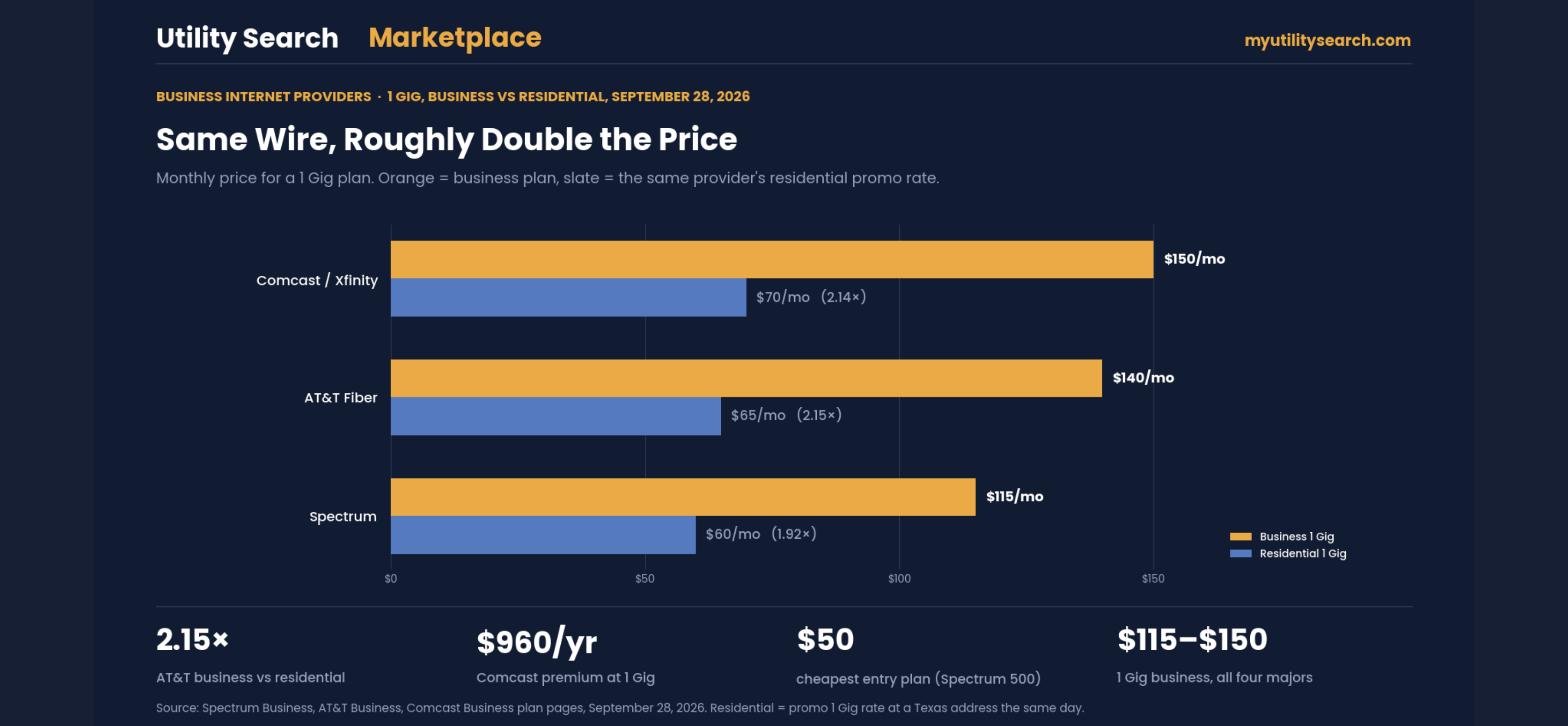
Business internet providers sell the same fiber and cable that reaches your house, on the same wires, at roughly double the price — and for a defined list of reasons. As of September 28, 2026 a 1 Gig business connection runs $115 to $150 a month from the four largest business internet providers, against $60 to $70 for the residential version of the same speed from the same company. This page shows the four rate cards side by side, what the premium actually buys, and when a business genuinely needs it.
The right business internet depends on your size and location: fiber for reliability and symmetrical speed, cable for value, and fixed-wireless or 5G where fiber has not reached yet. What sets business internet apart from home service is the guarantee behind it — service-level agreements, faster repair, static IPs, and priority support. Compare business internet providers by your exact address, and prioritize uptime and upload speed over headline download numbers.
TL;DR — choosing among business internet providers
- Fiber is the top pick for reliability and symmetrical upload; cable is the value option; fixed-wireless/5G fills gaps.
- Business internet adds an SLA, static IPs, and priority support that home plans do not.
- Size your bandwidth to your team and your cloud tools, not just download speed.
- Availability is address-specific — compare business internet providers where your office actually sits.
Shopping for a business address?
Business plans are quoted by location and term, and half of them are not published online. Our business desk at BOX by TechGuidance pulls every serviceable business connection for your address (fiber, cable, fixed wireless, dedicated) and negotiates the term, the price lock and the install date for you.
What is business internet?
Business internet is internet service built for offices, storefronts, and teams rather than households. On paper the speeds can look similar to consumer plans, but the difference is in the guarantees: business internet typically comes with a service-level agreement that promises a level of uptime, faster repair windows when something breaks, optional static IP addresses for hosting and remote access, and support that answers as a business rather than a consumer. For anything that loses revenue when the connection drops — card payments, cloud phones, e-commerce — those guarantees are the whole point.
SLA, explained: A service-level agreement is the provider committing in writing to a level of uptime (often 99.9%+) and a repair time. It is the single biggest reason a business pays more for the same speed a home gets — the connection is treated as critical.
Types of business internet
Seven connection types cover almost every business internet need. The right one depends on what reaches your address, how much downtime you can absorb, and whether you need a guaranteed speed or just a fast one.
| Type | Best for | Trade-off |
|---|---|---|
| Dedicated fiber (DIA) | Mission-critical sites that need guaranteed, symmetrical bandwidth and a written SLA | The most expensive option; install lead times run weeks, not days |
| Shared (broadband) fiber | Small and mid-size offices that want fiber speed at broadband prices | Bandwidth is shared, so speeds are best-effort, not guaranteed |
| Cable (coax) | Value and the widest wired availability | Slower upload; a busy neighborhood node can slow peak hours |
| Fixed wireless | Locations fiber and cable have not reached; a wired backup | Needs line of sight to a tower; weather and distance matter |
| 5G / mobile broadband | Pop-up sites, field teams and automatic backup for a wired line | Speeds swing with signal and congestion; some plans deprioritize |
| Satellite (low-orbit) | Rural and remote sites with no wired option | Higher equipment cost; obstructions and weather cut throughput |
| DSL / copper | Nothing new: carriers are retiring copper networks | Slow, and the line may be shut off (see the AT&T copper retirement) |
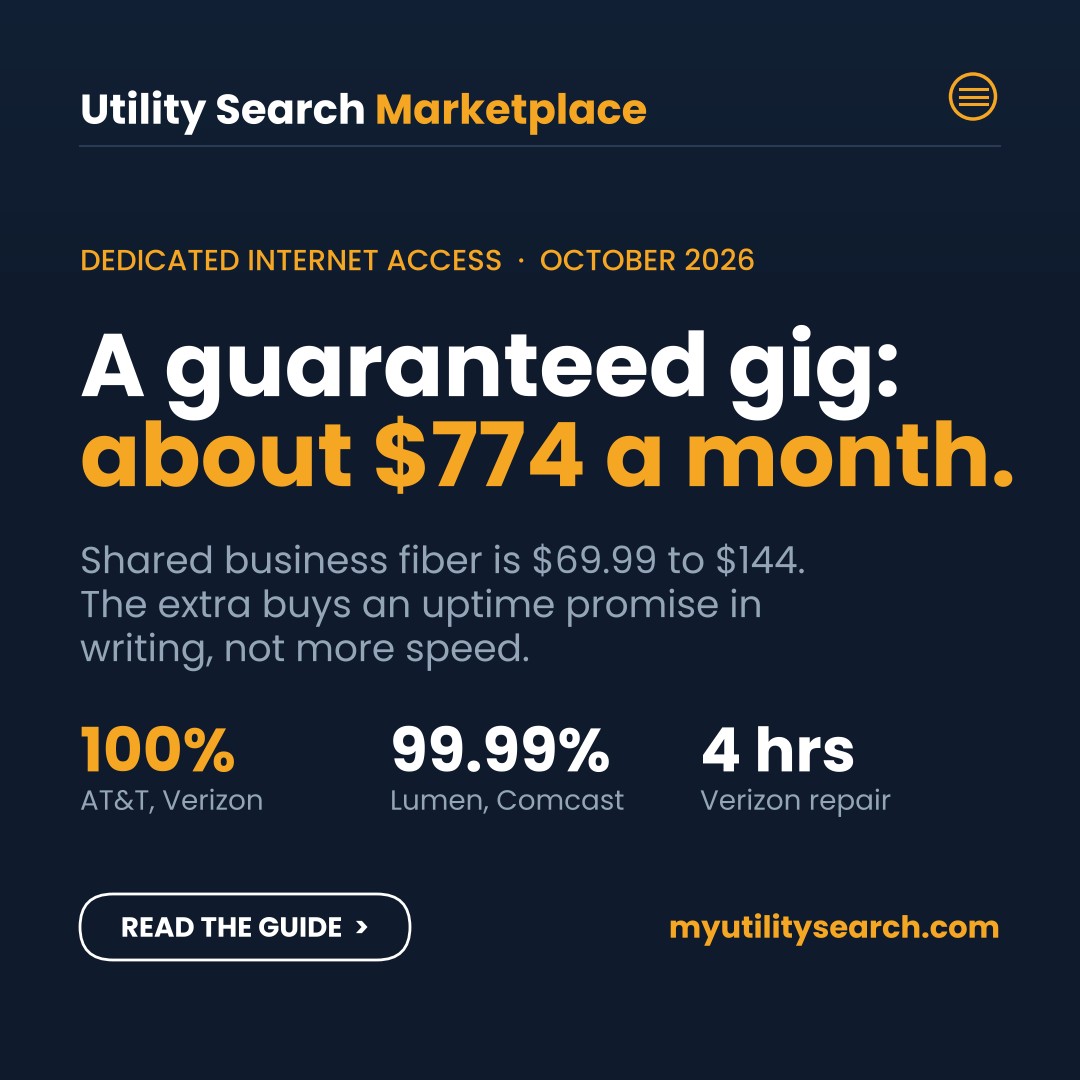
The biggest price line in business internet runs between shared and dedicated connections. A shared plan sells you a top speed; a dedicated circuit costs more because it guarantees that speed in writing, around the clock.
Fiber vs coax vs fixed wireless for business: the quality differences that matter
Business internet providers sell all three, often at similar headline speeds, and the download number hides where they actually differ. The differences that decide whether a business connection holds up are upload symmetry, latency, whether the line is shared, and how quickly it is repaired.
| Quality factor | Fiber | Cable (coax) | Fixed wireless / 5G |
|---|---|---|---|
| Upload speed | Symmetrical — 1 Gig down, 1 Gig up | Asymmetrical — upload is typically 5 to 10% of download on most tiers | Asymmetrical and variable with signal |
| Latency and jitter | Lowest and most stable; best for VoIP, video and cloud apps | Low, but rises when the neighborhood node is busy | Highest and least predictable; weather and congestion move it |
| Shared or dedicated | Shared passive network, but rarely congested; dedicated (DIA) circuits are also fiber | Shared node — evening slowdowns are the classic symptom | Shared tower sector; capacity depends on how many users the cell serves |
| Service-level agreement | Standard on business fiber; DIA adds guaranteed bandwidth | Offered on business cable, usually with repair-time commitments rather than uptime guarantees | Limited or none on most 5G business plans |
| Physical vulnerability | Cuts are rare but repairs need a truck roll | Mature plant, quick repairs, weather-resistant | Rain fade, line-of-sight and tower outages |
| Install lead time | Days to weeks; new builds can take longer | Days; often self-install | Same day to a few days; plug-in gateway |
| Best fit | Any business that uploads, hosts, or runs VoIP; the default choice where available | Retail, small offices and value-first locations without heavy upload needs | Temporary sites, backup line, locations fiber and cable have not reached |
The practical rule: choose fiber wherever a business internet provider offers it at your address, use cable where fiber has not arrived and upload is not critical, and treat fixed wireless as a bridge or a backup rather than a primary line for anything customer-facing.
How much does business internet cost?
Pricing spans a wide range because business internet spans everything from a small shop to an enterprise office. At the four largest business internet providers, a small-business cable or fiber plan runs $50 to $185 a month as of September 28, 2026 (Spectrum Business 500 Mbps at $50 up to AT&T Business Fiber 2 Gig at $185); a dedicated internet-access (DIA) circuit with a guaranteed speed and a strict SLA can run several hundred to a few thousand a month. What you are paying for above the home price is the guarantee, the symmetrical upload, and the support — not just raw download speed.
What the four largest business internet providers charge, September 2026
Business internet providers rarely publish a clean rate card, and the aggregator sites that rank for “business internet” mostly copy each other. These figures were read directly from each provider’s business plans page on September 28, 2026. They are national online prices for new customers; your address will change them.
| Provider | Entry plan | 500 Mbps | 1 Gig | 2 Gig | Terms that matter |
|---|---|---|---|---|---|
| Spectrum Business | 500 Mbps $50 | $50 | $115 (750 Mbps $95) | — | No contract, no data caps; 3-year price guarantee available; 1 Gig includes Advanced WiFi |
| AT&T Business Fiber | 300 Mbps $60 | $100 | $140 (reg. $160) | $185 (5 Gig $285) | No annual contract; symmetrical; free install; $500 reward card on 1 Gig and up; up to $750 ETF buyout for switchers |
| Verizon Business Fios | 300 Mbps $69 ($64 with Auto Pay) | $99 ($94) | $149 ($144) | $179 ($174) | 2-year term, auto-renews; $49 activation (waived on 2 Gig); price guarantee 1 yr on 300, 2 yr on 500, 3 yr on 1 Gig, 5 yr on 2 Gig; offers run to Nov 15 – Dec 31, 2026 |
| Comcast Business | 300 Mbps $70 | $100 | $150 (1.25 Gig) | $180 | 1-year agreement; optional 5-year price lock at $110 / $140 / $190 / $220; equipment included on gig plans; SecurityEdge included |
The business premium: same wire, roughly double the price
Put the business gig next to the residential gig from the same company and the pattern is consistent. AT&T charges $140 for Business Fiber 1 Gig against $65 for residential Fiber 1 Gig — 2.15 times. Spectrum charges $115 against $60 (1.92 times). Comcast charges $150 against Xfinity’s $70 (2.14 times). Over a year that premium is $660 to $960 for the same download speed on the same physical line.
| Provider | Business 1 Gig | Residential 1 Gig | Multiple | Premium per year |
|---|---|---|---|---|
| AT&T | $140 | $65 | 2.15× | $900 |
| Comcast / Xfinity | $150 | $70 | 2.14× | $960 |
| Spectrum | $115 | $60 | 1.92× | $660 |
What the premium actually buys
The extra $55 to $80 a month is not for speed. It is for five things that residential plans exclude, and whether you need them is the whole decision:
- A service-level agreement. Business plans carry uptime commitments and repair-time targets. Residential plans carry neither.
- Symmetrical upload on fiber and, on cable, materially higher upload tiers. Video calls, cloud backup and point-of-sale all push data up, not down.
- Static IP addresses, available on every business tier and on none of the residential ones. You need one for remote access, VPNs, hosted cameras and some payment terminals.
- Priority support with a separate queue, and on several plans a 24/7 dedicated line.
- Terms of service that permit commercial use. Residential agreements generally prohibit it. A home plan in a storefront is a contract breach the provider can act on.
If none of those five apply, the honest answer is that a residential plan at the same address does the job for half the money — and every provider in the table above will sell you one.
Where the cheapest entry point is
For a small office that mostly emails, browses and takes video calls, the entry tier decides the bill. Spectrum’s 500 Mbps at $50 with no contract is the lowest verified entry price among the four, and it is a faster tier than the others’ entry plans. AT&T’s 300 Mbps at $60 is the cheapest symmetrical fiber entry. Comcast’s $70 entry is the most expensive, but it is also the only one of the four offering a five-year price lock, which matters if you are signing a lease of that length.
Compare business internet at your address
Business plans are quoted by address and term. Check what is actually available at yours before you sign anything.
How to choose among business internet providers
Start with three questions: how many people and devices need to be online at once, how much you rely on the cloud (video calls, VoIP phones, backups, e-commerce), and how much a single hour of downtime would cost you. Heavy cloud and VoIP use means upload speed and an SLA matter more than a big download number. Then check what is actually available at your address, compare the business internet providers that reach it, and leave room to scale as you grow.
Price locks: what each of the business internet providers guarantees
The second number to compare is how long the price holds. Business internet providers treat the guarantee as a product in its own right, and the terms differ more than the monthly rates do. These are the lock options published on September 28, 2026.
| Provider | Default term | Price guarantee offered | What it costs you |
|---|---|---|---|
| Spectrum Business | No contract | 3-year price guarantee available | Nothing extra; the rate card is the guaranteed rate |
| AT&T Business Fiber | No contract | None published | Promotional rate ($60 / $100 / $140) steps to the regular rate ($70 / $110 / $160) |
| Verizon Business Fios | 2-year agreement | 1-, 2-, 3- or 5-year guarantee | $49 activation; current offers run through November 15 to December 31, 2026 |
| Comcast Business | 1-year agreement | Optional 5-year price lock | Roughly $40 a month more: $110 / $140 / $190 / $220 locked versus $70 / $100 / $150 / $180 on the 1-year term |
Read the Comcast row carefully, because it is the clearest example of how business internet providers price certainty. Locking 1 Gig for five years costs $190 instead of $150, or $2,400 over the term. That only pays off if you expect the 1-year rate to climb more than $40 a month, which historically it has not. For most small offices the better move is Spectrum’s no-contract plan with the free 3-year guarantee, or AT&T’s no-contract fiber if the regular rate still beats the alternatives at your address.
A lock is also only as good as the exit terms. Ask every one of the business internet providers you shortlist for the early-termination fee in writing, whether equipment is included or billed separately, and whether the guaranteed price includes taxes and regulatory fees. Those three lines are where a $115 plan becomes a $140 bill. If a sales rep will not put the fee in writing, treat that as your answer and move to the next name on the shortlist.
Business internet vs. home internet
You can sometimes run a very small business on a home plan, but you give up the guarantees. Home internet has no SLA, deprioritizes upload, and treats an outage as a consumer ticket. Business internet costs more but backs the connection with uptime commitments and faster repair — the difference between a slow afternoon and a day of lost sales.
How much bandwidth does a business need?
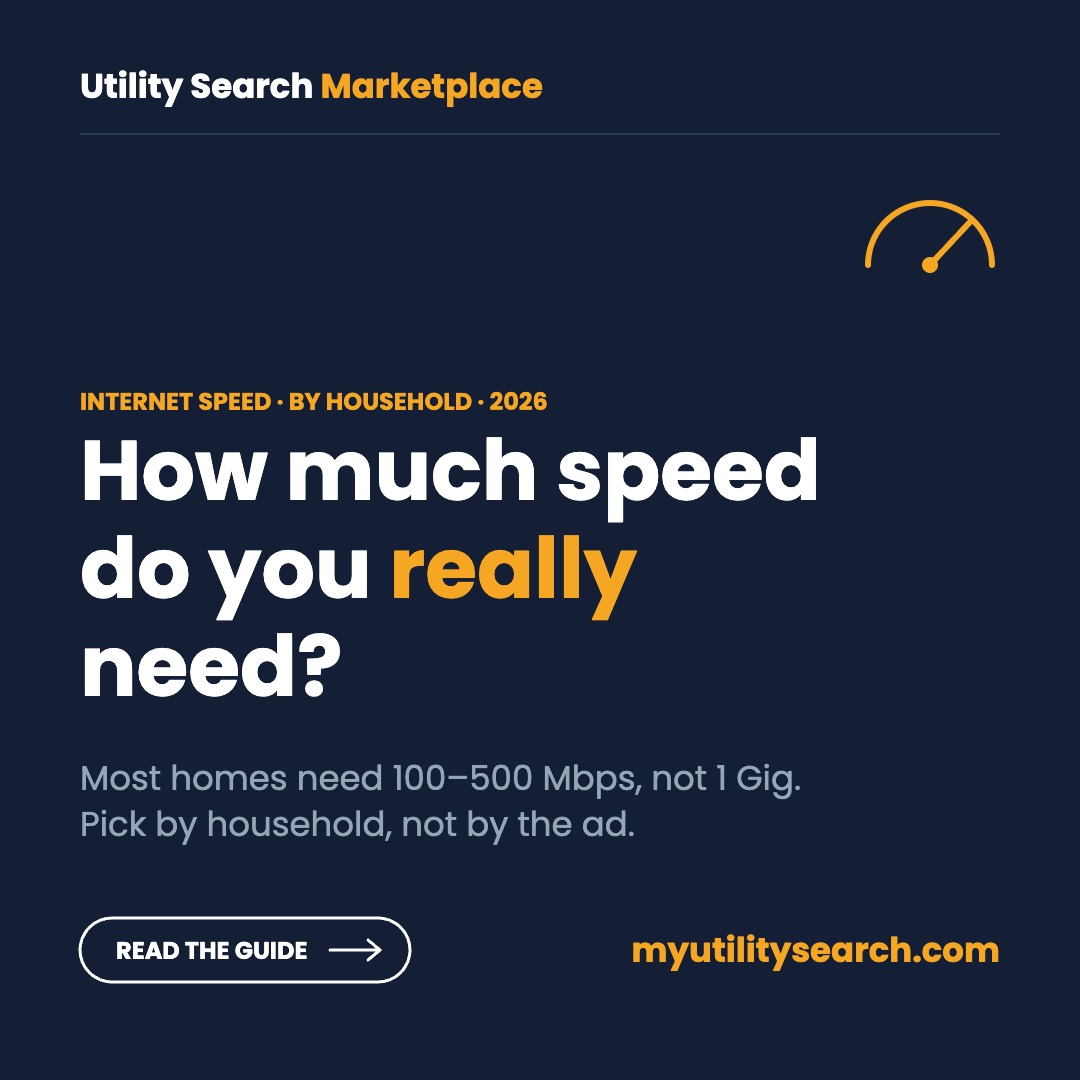
Match bandwidth to your team and your tools rather than buying the biggest plan on offer. A small crew mostly on email and web runs comfortably on modest speeds, while a busy office doing constant video calls, cloud backups, and card processing needs both more capacity and strong upload.
As a rough guide, a handful of light users are fine on entry tiers; a dozen or more people, or heavy cloud and VoIP use, calls for mid-tier fiber with symmetrical upload; and a large office that cannot tolerate downtime wants a dedicated circuit with a guaranteed rate. When you are unsure, size up on upload — it is the number that video meetings and backups actually strain, and the one home plans skimp on most.
Setting up or switching at a new location
Whether you are opening a new office or replacing one of the business internet providers that keeps dropping, the process is the same. Confirm exactly what is available at the street address, compare the connection types and business internet providers that reach it, and mind the install lead time — fiber and dedicated circuits can take weeks to provision, so start early.
If you are relocating, line up service before the move so you do not open your doors with no connection. Before you sign, ask about contract length, install and equipment fees, and whether the uptime guarantee and any static IPs you need are included or billed as add-ons. Getting those details in writing up front is what separates a smooth cutover from a week of workarounds.
Switching business internet providers: the 7-point checklist
- Check the address, not the ZIP. Business internet providers qualify service by street address and sometimes by suite; a building next door can have fiber while yours does not.
- Get the current contract’s end date and early-termination fee in writing before you order anything new.
- Order the new line to overlap the old one by at least a week, so the cutover happens on your schedule.
- Confirm static IPs, the SLA and equipment are on the order, with the monthly price of each add-on listed separately.
- Ask for the promo end date and the regular rate that follows it; that is the number to compare across providers.
- Test the new connection under load (VoIP call, video meeting, a large upload) before you cancel the old one.
- Cancel in writing and keep the confirmation; return leased equipment within the window to avoid a non-return charge.
10 questions to ask before you sign a business internet contract
Most business internet regret starts with a question nobody asked. Ask every provider the same ten, and compare the answers side by side.
- Can you show me the price after the promotion ends, in writing? A business internet quote should list the month-13 rate, not just the intro price.
- Is this connection shared or dedicated? Shared plans advertise a top speed; dedicated plans guarantee it.
- What does the SLA promise, and what do I get if you miss it? Look for uptime percentage, repair time and the credit you receive.
- Is upload speed the same as download? Video calls, cloud backup and VoIP live on upload.
- What equipment is included, and what is leased? Router, modem and static IP fees add up month after month.
- How long is the term, and what does early termination cost? Ask whether the fee declines each month you stay.
- How long is the install lead time at this address? Fiber and dedicated builds can take weeks; plan the move around it.
- Can I add a backup connection on the same account? Failover is easier to manage with one provider and one bill.
- Will my phone numbers port, and who handles 911 location? Business phone service over the internet needs a registered E911 address.
- Who do I call when it goes down at 2 a.m.? Business support should be 24/7 with a direct escalation path.
Business internet backup: when a second connection pays for itself
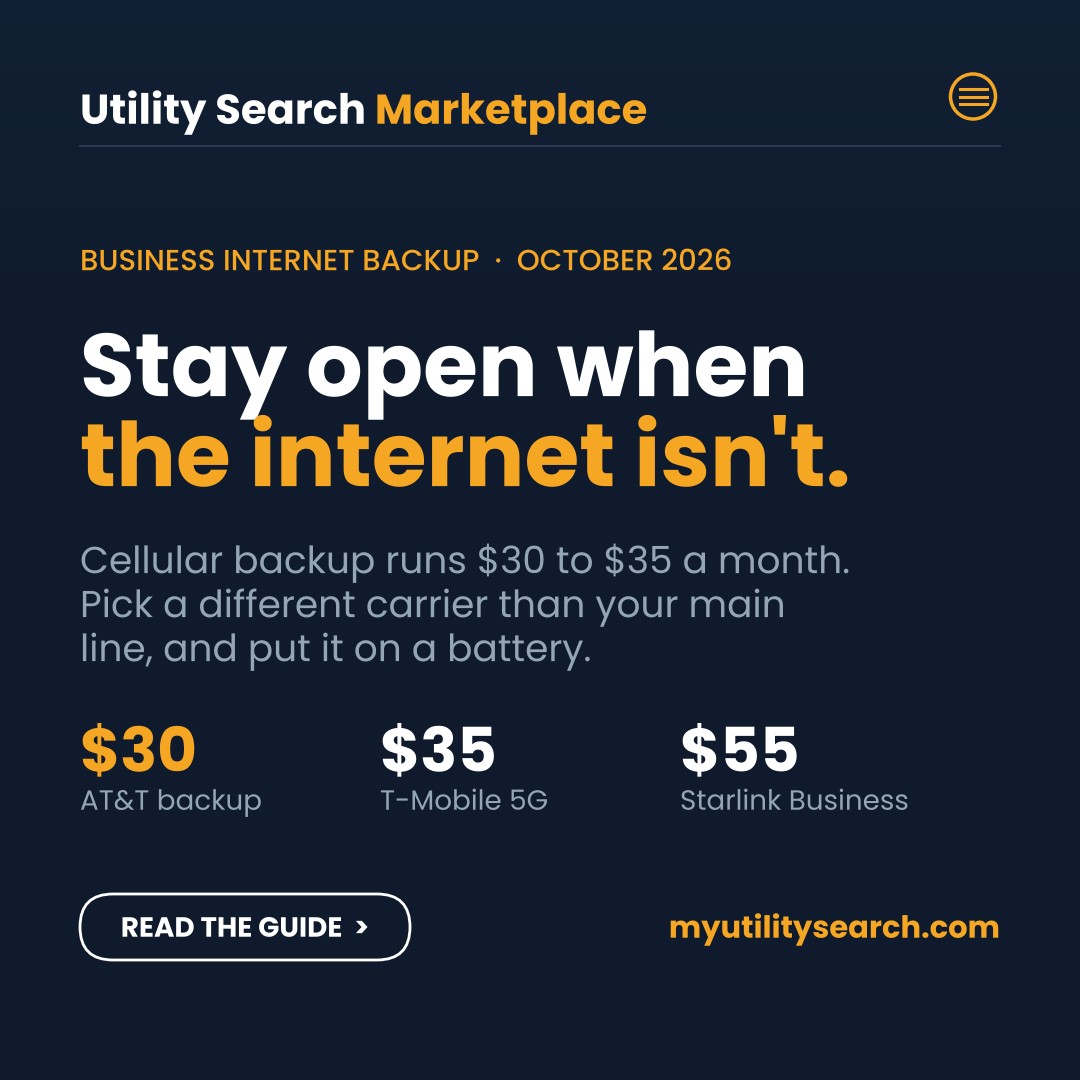
A business internet backup is a second connection that takes over automatically when your main line drops. If an outage stops card payments, phone calls or cloud software, a backup usually pays for itself in the first long outage.
The backup should use a different path than the primary. A second cable line on the same pole fails with the first one. The common pairings are:
- Fiber or cable + 5G/LTE failover — the most common small-business setup; a router switches over in seconds.
- Fiber + fixed wireless — no shared wires at all, useful where cellular signal is weak.
- Wired + satellite — the rural option; see Starlink plans and prices.
Businesses with several locations often manage primary and backup lines together with SD-WAN, which routes each application over the best available connection.
For current backup prices, failover setup and the fine print on data caps and power, see our business internet backup guide.
Business phone on the same connection: VoIP and UCaaS
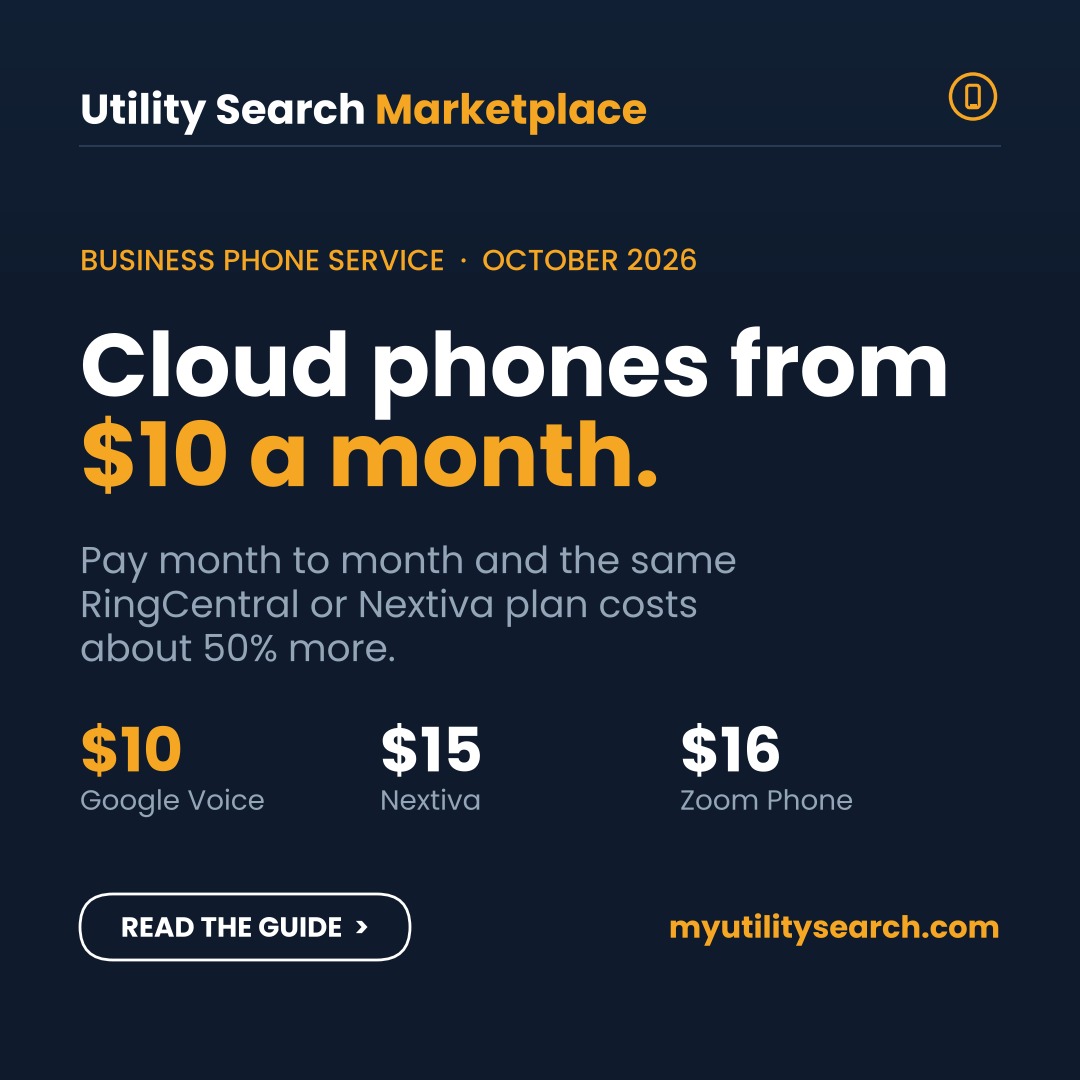
Most businesses now run their phones over their business internet connection. VoIP moves calls onto the internet; UCaaS (unified communications as a service) bundles calling, video meetings and team chat into one app, billed per user each month.
That shift is speeding up because carriers are retiring copper phone lines. If your office still has traditional landlines, read what the AT&T copper shutdown means for your lines before the notice arrives.
Phone service over the internet changes what you need from the connection: steady upload, low latency, and a backup so phones keep ringing in an outage. Plan the phones and the business internet together, and see the full business utilities checklist for a new location.
Business internet: the questions people ask, answered
What owners and office managers type when they are shopping a connection for the business, in their own words, answered as of October 25, 2026.
Is there business internet with no contract?
Yes. Spectrum Business sells every plan with no contract and no early-termination fee (500 Mbps from $50 a month as of September 28, 2026), AT&T Business Fiber has no annual term, and T-Mobile and Verizon 5G business internet are month to month. Comcast Business and Verizon Fios Business offer month-to-month service too, but their advertised prices usually assume a one- or two-year agreement, and the no-term price runs $10 to $20 higher. The trade-off with no contract is no price lock: the rate can change with 30 days’ notice, so a business that wants a known cost for three years is usually better off with a term that includes a price guarantee.
Business address? Our business desk at BOX by TechGuidance pulls the serviceable business plans for your location, including the ones the providers do not publish online, and negotiates the term and the install.
What does a business broadband package include?
A business plan from the same cable or fiber company costs roughly double the residential plan on the same wires, and the difference is the package: a static IP option, business-grade router with guest Wi-Fi and often a 4G/5G backup, a service-level agreement with faster repair windows and credits, 24/7 dedicated business support, no data caps, symmetrical upload on fiber, and a commercial terms of service that allows hosting, point-of-sale and VPN use. Packages scale from a basic 300 to 500 Mbps connection at $50 to $100 to multi-gig fiber at $150 to $185, with voice lines, managed Wi-Fi, security cameras and backup connectivity sold as add-ons.
Which internet connection is best for a business?
Fiber if it reaches the building: symmetrical speed, the lowest latency, and the only medium that handles cloud backups, video calls and VoIP at the same time without the upload becoming the bottleneck. Cable (coax) is the practical choice where fiber is not built, and for most shops and offices a 300 to 600 Mbps cable plan is enough; its weakness is upload speed of 20 to 50 Mbps. Fixed wireless and 5G business internet work as a primary line for a small storefront or a temporary site and as the backup connection for everyone else. Dedicated internet access (DIA) with guaranteed bandwidth is for businesses whose revenue stops when the connection does.
What are faster internet alternatives for a small business stuck on a slow plan?
In order of effort: first, check whether fiber has reached the address since you signed up, which happens constantly in 2026 as AT&T, Verizon, Frontier, Google Fiber and the regional fiber builders expand into commercial corridors. Second, upgrade the tier on the existing cable connection; the jump from 100 to 500 Mbps costs $20 to $40 a month. Third, add a 5G business internet line from T-Mobile or Verizon ($50 to $70) as a second connection and let a dual-WAN router split the load. Fourth, where the problem is upload, move to fiber or to a business cable plan with higher upload. A bonded or dedicated circuit is the last resort and the most expensive.
What internet plans do businesses that run software in the cloud need?
Upload and consistency matter more than headline download. A ten-person office on cloud software (Microsoft 365, QuickBooks Online, a hosted phone system, cloud backup) is comfortable on 300 Mbps symmetrical fiber or a 500 Mbps cable plan with at least 35 Mbps upload; add 50 to 100 Mbps for every ten additional heavy users. Point-of-sale and card terminals need almost no bandwidth but do need the connection to stay up, which is the argument for a 5G backup line. Video-heavy work (telehealth, design, security camera cloud recording) is where symmetrical fiber stops being optional.
Can I use residential internet for a business?
At a home office, yes; the residential terms allow working from home. At a commercial address, the provider will sell you the business product, and at a storefront on a residential plan you risk the acceptable-use terms (no hosting, no commercial resale, no SLA) and a shutoff if usage looks commercial. The practical reason to pay for the business plan is support and repair priority: a residential outage ticket waits in the residential queue. If the business is a one-person operation at a home address, a residential plan plus a 5G backup is the cheapest reliable setup.
Also searched as: business internet, business internet no contract, business broadband packages, internet connection for business, business internet providers and small business internet. They all mean the plans on this page.
Frequently asked questions
What is business internet?
Internet service that business internet providers build for offices and teams, with a service-level agreement, faster repair, optional static IPs, and priority support that home plans do not include.
Is a business plan worth it over home internet?
If downtime costs you money — payments, VoIP, e-commerce — yes, and business internet providers price the guarantee accordingly. The SLA and faster repair are what you are paying for.
What speed does a business need?
It depends on team size and cloud use. Cloud-heavy or VoIP-reliant offices should prioritize upload speed and an SLA over raw download.
Is fiber the best option for a business?
Usually, where it is available — business internet providers sell fiber with symmetrical speeds and the best reliability. Cable and fixed-wireless are the alternatives when fiber has not reached your address.
How much does it cost?
As of September 28, 2026 the four largest business internet providers charge $50 to $70 for entry plans and $115 to $150 for 1 Gig; dedicated circuits with strict SLAs cost more, from several hundred to a few thousand.
What is a business internet SLA?
A written commitment to a level of uptime and a repair time. It is the main reason business internet costs more than the same home speed.
Can I run my business on home internet?
For a very small operation, sometimes — but you lose the SLA, upload priority, and business-grade support.
Does it come with a static IP?
Often as an option. Static IPs help with hosting, remote access, and some security setups.
What is the difference between dedicated internet access and broadband?
Broadband (cable or shared fiber) shares capacity with other customers and advertises a top speed. Dedicated internet access (DIA) reserves bandwidth for one business, guarantees the speed in an SLA, and costs more.
Does my business need a backup internet connection?
If an outage stops payments, phones or cloud software, yes. The usual setup pairs a wired line with 5G or fixed wireless that takes over automatically.
Bottom line on business internet providers
The four largest business internet providers charge $115 to $150 a month for 1 Gig and $50 to $70 for their entry plans, and every one of them prices the guarantee rather than the speed. Buy the guarantee if downtime costs you money; skip it if a residential plan at the same address is legal for your use. Shortlist the business internet providers that actually reach your storefront, get the term and the fees in writing, and compare them against the residential rate before you sign.
Compare internet, energy & home security at your address
Sources
- Spectrum Business — Small Business Internet plans, read September 28, 2026.
- AT&T Business — AT&T Business Fiber, read September 28, 2026.
- Verizon Business — Fios Business Internet plans, read September 28, 2026.
- Comcast Business — Small Business Internet Service, read September 28, 2026.
- Residential comparison prices: AT&T Fiber (att.com, McKinney TX address), Spectrum (cox.com, now Spectrum) and Xfinity (xfinity.com), all read September 28, 2026.
Business internet pricing varies by address, term length and bundle. Every figure on this page was read from the business internet providers’ own plan pages and is shown with the date it was read and the conditions the provider attached. Confirm at your own address before you sign.
Are you a residential customer?
Shopping for home internet instead? Compare home internet plans at your address or call our residential team at (844) 437-9527.
Keep going
- Business internet provider near me — how to check every provider at your address and what each one charges
- Business internet cost — prices by provider and speed tier
- Compare the best internet providers for 2026
- Cable internet: how it works & providers
- What internet is available in my area
- Best fiber internet near me
- Why is my internet not working?
- Business utilities: setting up every service for a new location
Confirm which business internet providers serve your address on the FCC National Broadband Map.